先看效果图:
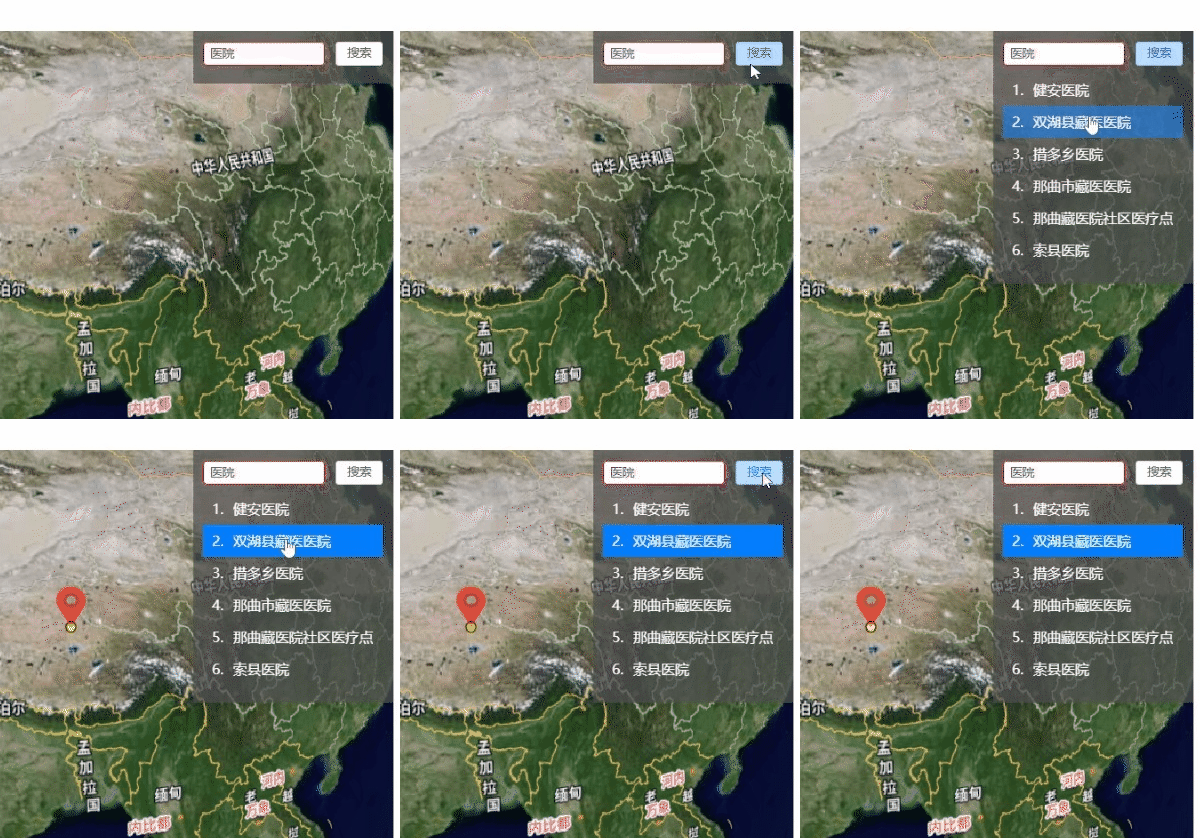
详细代码:
<template>
  <div style="position: relative">
    <div class="city-list" v-if="editable">
      <el-space :size="10">
        <el-input placeholder="请输入" size="small" v-model="searchValue" />
        <el-button @click="handleCity(searchValue)" size="small">
          搜索
        </el-button>
      </el-space>
      <ul>
        <li
          v-for="(tag, ind) in remoteOptions"
          :key="ind"
          :class="{ active: ind == tagInd }"
          @click="handleIndex(tag, ind)"
        >
          <span>{{ ind + 1 }}.</span>
          <span>{{ tag.name }}</span>
        </li>
      </ul>
    </div>
  </div>
</template>
<script setup>
import {
  nextTick,
  reactive,
  ref,
  toRefs,
  watch,
  getCurrentInstance,
} from "vue";
import axios from "axios";

const tagInd = ref();
const searchValue = ref("");
const remoteOptions = ref([]);
const token = "天地图Key";
const handleCity = (query) => {
  if (query) {
    axios
      .get(
        `https://api.tianditu.gov.cn/v2/search?postStr={"keyWord":"${query}","level":12,"mapBound":"78.416666,26.833333,99.1,36.883333","queryType":1,"start":0,"count":100}&type=query&tk=${token}`
      )
      .then((res) => {
        remoteOptions.value = res.data.pois || [];
      });
  } else {
    remoteOptions.value = [];
  }
};

const drawKey = ref(0);
const handleIndex = (tag, ind) => {
  tagInd.value = ind;
  let lonlat = tag.lonlat.split(",");

  drawKey.value++;
  isDisabled.value = true;
};

<style lang="scss" scoped>

.city-list {
  position: absolute;
  top: 0px;
  width: 200px;
  max-height: 80%;
  overflow: hidden;
  right: 0px;
  background: #505050bb;
  padding: 10px;

  ul {
    list-style: none;
    height: auto;
    max-height: 200px;
    padding: 0px;
    margin: 0px;
    overflow: auto;
    scrollbar-width: none; /* 隐藏垂直滚动条 */
    -ms-overflow-style: none; /* 隐藏IE/Edge浏览器的垂直滚动条 */
    li {
      display: flex;
      font-size: 14px;
      color: #fff;
      cursor: pointer;
      span {
        &:nth-child(1) {
          width: 30px;
          text-align: center;
        }
        &:nth-child(2) {
          flex: 1;
          white-space: nowrap;
          overflow: hidden;
          text-overflow: ellipsis;
        }
      }
      &:hover {
        background: #1e81eba5;
      }
    }
  }
}
.active {
  background: #057efffe!important;
}

</style>
注意事项:部署到线上的时候需要看我们的系统是http的还是https